Platform
How can I store my project's documents?
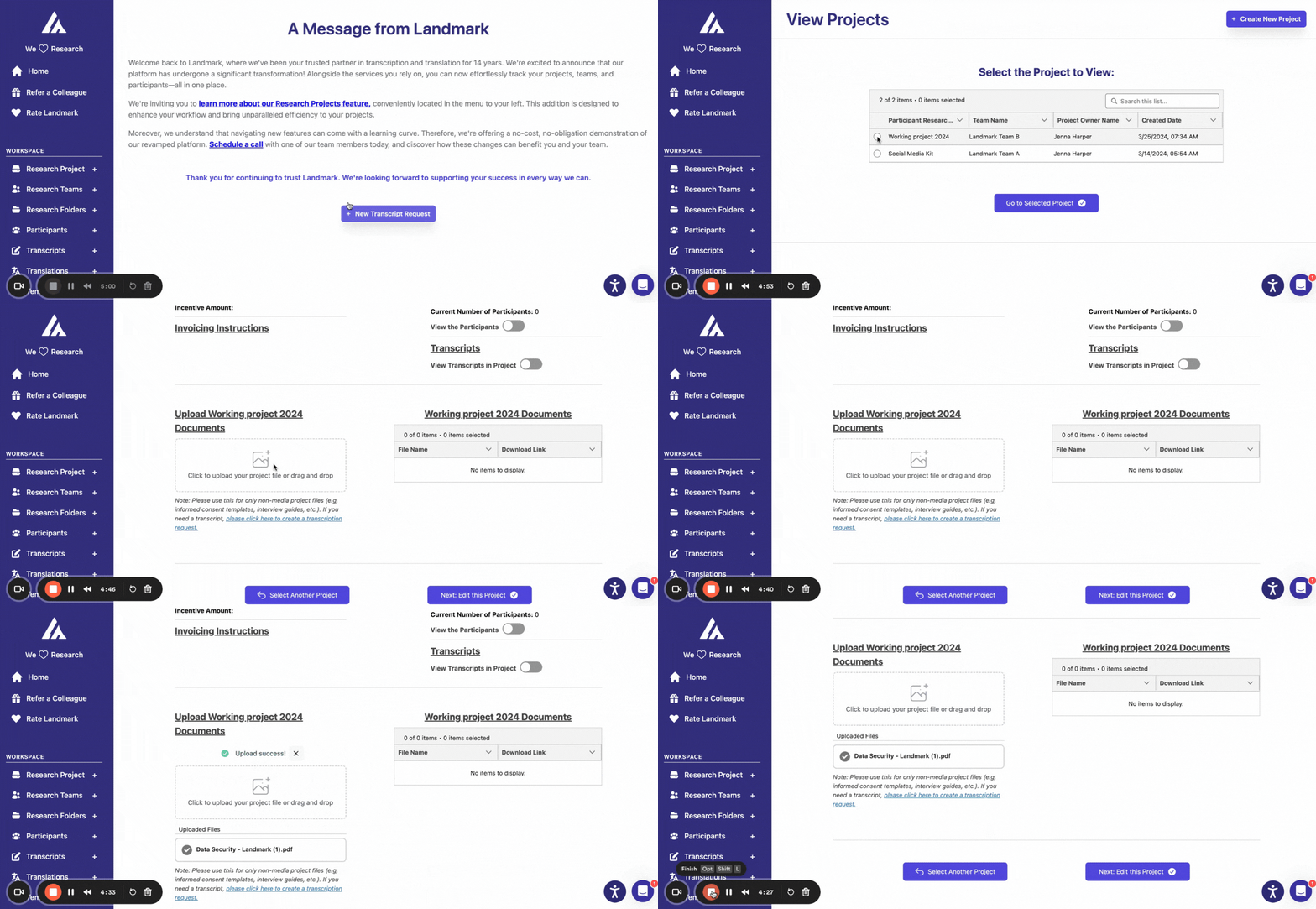
Uploading your research documents is essential for organized and accessible records. Follow these steps to ensure your files are correctly uploaded and easily retrievable.
- Select the correct project: In the left side menu, click on the 'Research Project' tab and select the correct project where you want to upload your files.
- Attach your documents: Scroll down to the attachment box and select the option ‘Upload your files’ to add your documents.
- Press ‘Start Upload’: your files don't begin uploading until you do.