Platform
How to Request File Deletion After Completing Your Project
You can easily delete your files directly from the portal by following these steps:
- Go to Transcripts.
- Navigate to All Transcript Requests.
- Select the transcript you want to delete.
- Click on Request Delete.
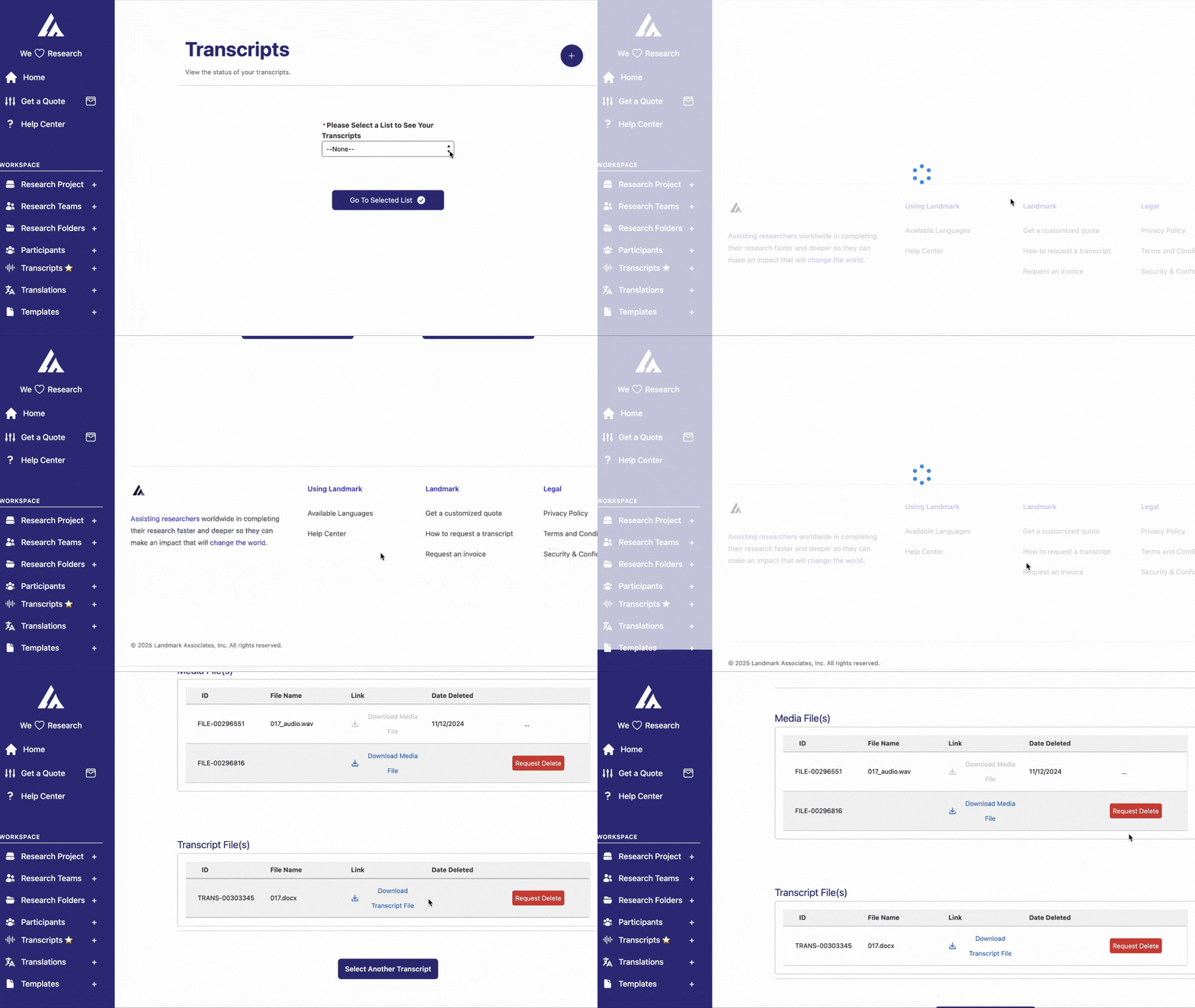
Please note that this action removes the source files from our platform but does not delete the associated tickets. If you need further assistance, feel free to contact our support team.
Frequently Asked Questions
Does deleting my files also delete my transcripts?
No. Requesting deletion removes the source audio/video files from our platform, but your tickets and completed transcripts remain available in your account.
Why would I delete my source files?
Many IRB protocols require destroying recordings after transcription or at the end of a study. Requesting deletion from our platform helps you document compliance with your data-retention plan.
Can deleted files be recovered?
No — deletion is permanent. Make sure you have any copies you need before requesting it. If you're unsure, contact our support team first.